Platform

Enzo EHR
Intake
Scheduling
Scribe
QA
Customers

Resources

Blog
Product Updates
Glossary
Careers
LoginBook a Demo
Enzo Health

© 2026 Enzo Health. The first AI native EHR for home health. All rights reserved.

Platform

Enzo EHRIntakeSchedulingScribeQA

Company

CareersCompany Information

Resources

BlogResourceGlossary

Legal

Privacy PolicyTerms of ServiceFulfillment

What’s new

Product Updates

The latest updates we’ve rolled out to Enzo agencies.

4 updates
August 17, 2026
ScribeEHR

Scribe heat maps

What it does

A daily heat map by clinician that shows how often completed visits used Scribe, filterable by date range, discipline, visit type, or clinician, with the visit-level detail behind it.

Why it matters

Agencies can now see exactly who is using AI tools on their team, how their usage is going, and where certain people might need a hand.

August 10, 2026
EHRScribe

Tap to call & tap to maps

What it does

Tap a visit on the schedule and the patient's name, phone number, and address are all live. Tap the name to open the chart, the number to place the call, or the address to open directions in whatever maps app is already on your device.

Why it matters

Clinicians shouldn't have to read a phone number or address on one screen and type it into another. A simple tap should do it.

Available on both Enzo EHR and Enzo Scribe, in the App Store and Google Play.

July 10, 2026
IntakeEHR

Automatic PECOS checks

What it does

Enzo checks a physician's PECOS enrollment automatically and pulls their details straight from the NPI registry, then keeps that record current without anyone re-entering it.

Why it matters

A physician who is not PECOS-enrolled usually surfaces after the claim comes back, once the visit is done and the note is written. Checking it up front is the difference between a correction and a denial.

May 20, 2026
EHR

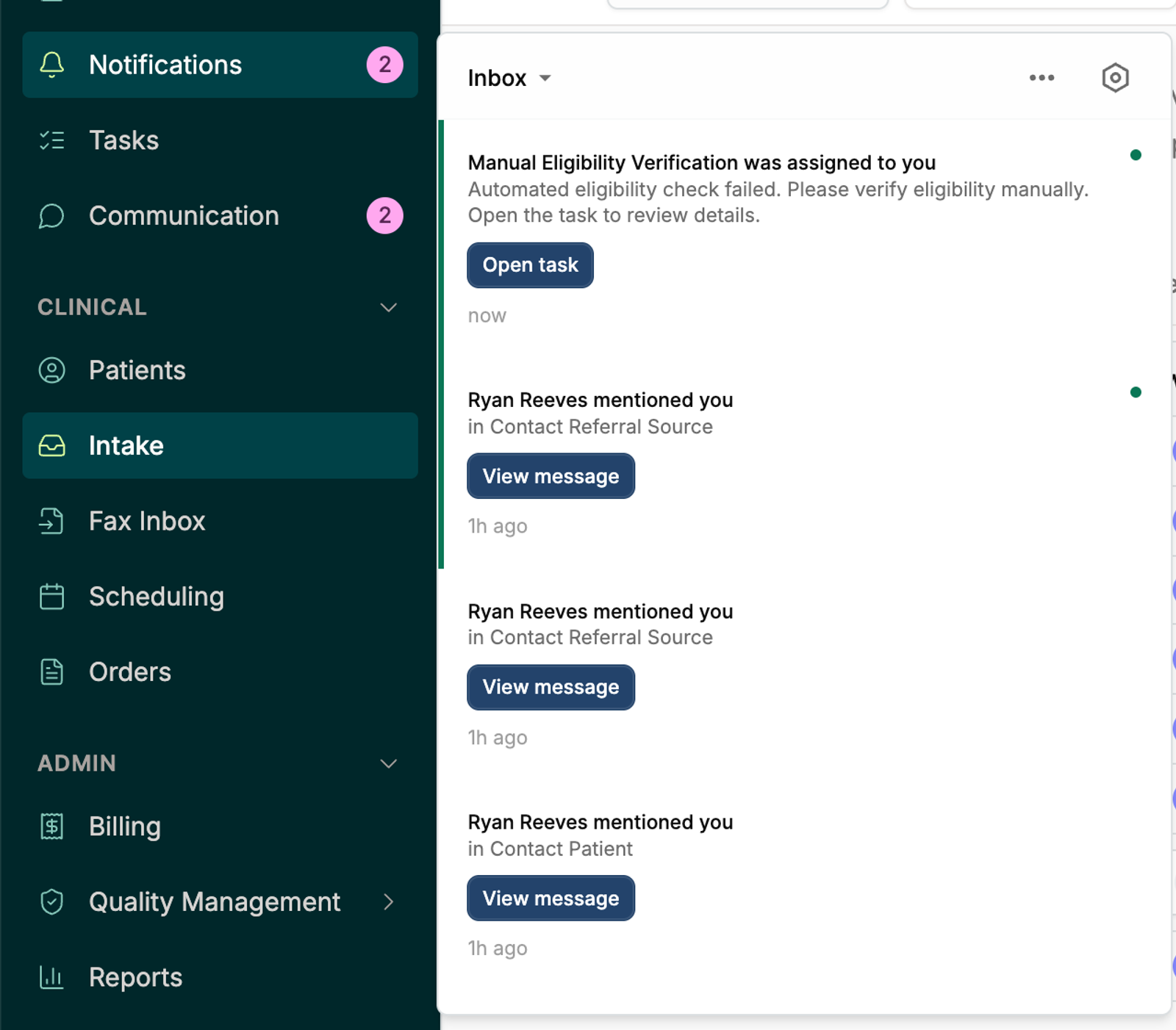
The Notification Inbox

The Notification Inbox

What it does

One inbox that collects every notification directed at you, with assignments and mentions arriving in the app as well as by email. Choose the channel for each type, filter by unread, read, archived, or snoozed, and snooze anything you are not ready for.

Why it matters

Nobody wants to hunt through tabs to see what has been assigned to them, or what items need their attention. Centralizing all important communication saves your team time and makes sure nothing slips through the cracks.